
Welcome to my Wealthy Affiliate Image Studio Review 2026. If you build affiliate websites or create content that needs strong visuals, Wealthy Affiliate Image Studio is a tool to check out, especially with the fresh updates rolled out for 2026. This AI powered design tool lives within the Wealthy Affiliate platform, joining helpful features like Article Designer and Logo Designer. After a few months of trying it out for my web design and blogging, I’m ready to share how it works, what stands out, what it can’t do and why it’s become a reliable sidekick for my projects.
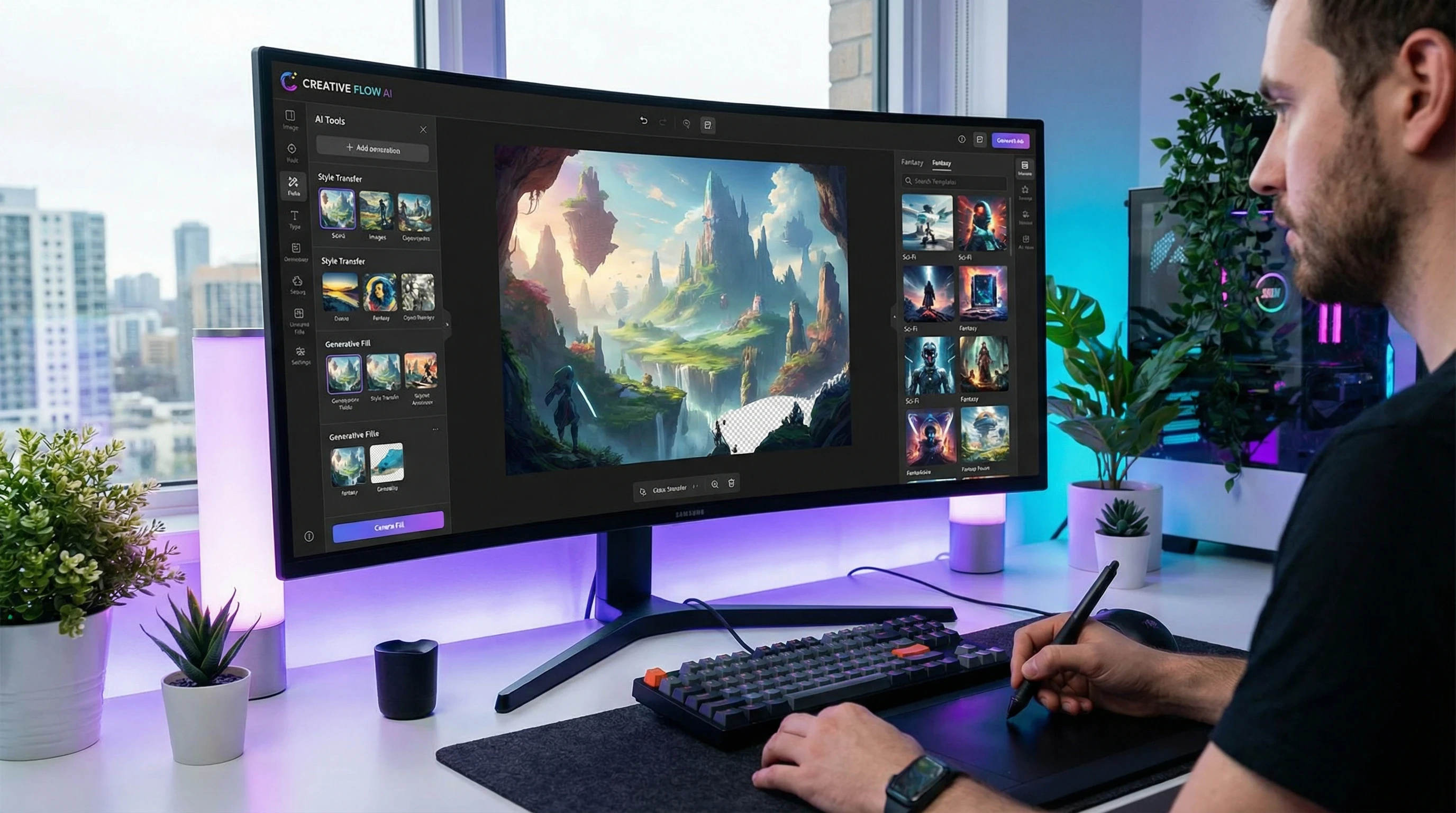
Image Above Created Within Image Studio!
What is Wealthy Affiliate Image Studio?
Wealthy Affiliate Image Studio is an AI based tool built for creating and editing images straight from your browser. There’s no need for downloads or extra software. It was made for online marketers, bloggers, and anyone needing fast, polished visuals for their site, social media, or marketing materials.
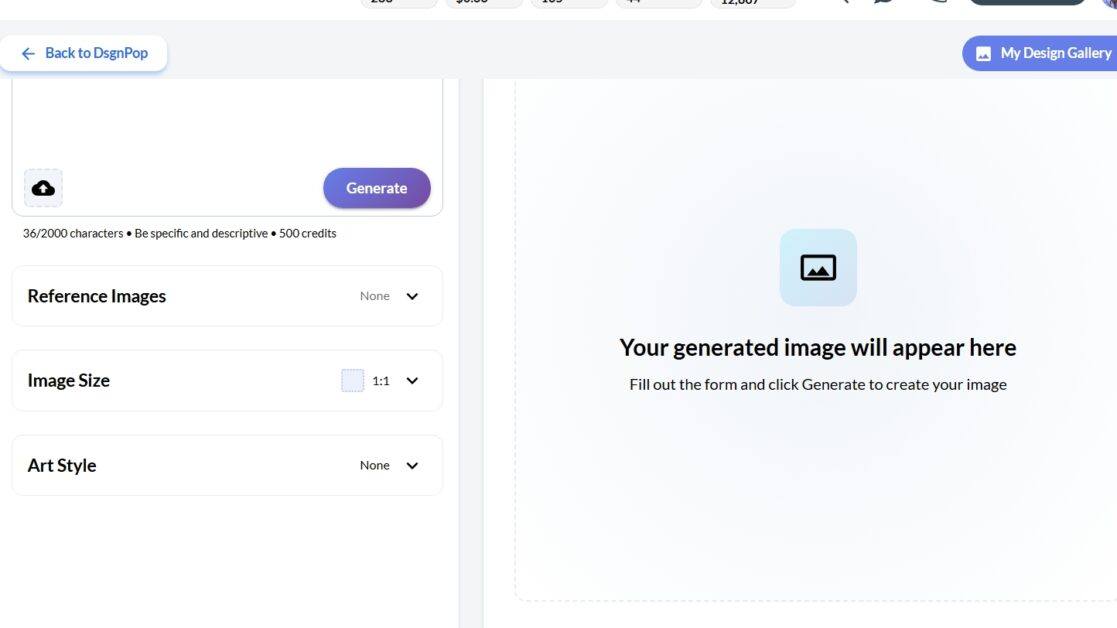
It all revolves around text prompts. Type in what you want, and the AI crafts an image to match. You can also upload a reference photo to tweak, or use templates to keep your visuals on brand. If you’re creating quick blog thumbnails, infographics, or designing content for platforms like Pinterest, Image Studio lets you do it all within Wealthy Affiliate. You can learn more or try it out here if you want to see it in action.
Key Features and How Image Studio Works
The entire setup is designed for speed and simplicity. Here’s what I use the most:
- Text to Image Generation: Describe what you need, a “modern laptop on a beach,” for example and the AI quickly creates a matching picture.
- Reference Image Upload: Upload any image or logo, and Image Studio will remix, give a boost to, or apply new effects to make it ready for your next campaign.
- Image Editing: Use built in AI tools for cropping, background removal, upscaling, and adding consistent filters across your visuals.
- Templates and Pre-sets: Jump into prebuilt formats for banners, social media headers, Pinterest pins, and product images, super useful for cutting down design time and keeping things consistent.
Everything happens within your browser, so it fits directly into WA’s website editor, content workflow, and publishing pipeline. I save time by not bouncing between Canva, Photoshop, and various stock image sites. For daily design needs, the process is smooth and efficient.
Who Should Use Image Studio?
Image Studio is ideal for anyone building niche sites, writing product reviews, or managing affiliate marketing campaigns. If you need visuals to break up big blocks of text, increase click through rates, or add punch to newsletters and social media, Image Studio covers most basic needs.
- Bloggers: Stumble upon fresh post images and branded featured visuals while creating content.
- Affiliate Marketers: Quickly put together banners, product graphics, and comparison visuals without hunting for stock.
- Small Business Owners: Keep a steady look across social promotions and site branding, even if you’re not a design expert.
- Beginners: Since the tool is so user friendly, you don’t need hours of design education. Templates do a lot of the shaping and heavy lifting.
It’s also great for doing A/B testing on graphics or experimenting with different calls to action. Creating multiple versions with small tweaks is easy, so you can spot what works best fast.
How the Credit System Works
Wealthy Affiliate’s AI features use a shared credit system. Each image you create or edit uses a small number of credits from your balance. Complex tasks like background removal or upscaling tend to use a bit more. Your credit count is always visible at the top for quick checks.
- Credit Allocation: Every WA plan includes a certain number of AI credits per month. You can add more credits with a plan upgrade or during special offers.
- Managing Credits: If you like to perfect every graphic and play with variations, keep an eye on your balance, lots of drafts will add up.
- Bonus Credits: Wealthy Affiliate runs deals for new signups or seasonal offers that add extra AI credits. Make use of these at the start.
I’ve never run out of credits (even when cranking out images in batches), but if you’re posting daily, check the options to top up. More details are available on their main website.
Where Image Studio Shines
My experience with site builds and client work turned up several strengths:
- Speed: Lightning fast image creation and direct edits in the writing platform. No downloading or waiting on a slow server.
- Beginner Friendly: Guided UI and built in templates keep things easy even for newbies. Almost no learning curve.
- Brand Consistency: Upload logos, tweak brand colours, and store your own style guides so all images match everywhere.
- Integrated Workflow: Full access inside the writing process means you keep your creative flow going and never have to bounce to another app.
For a lot of my affiliate work, Image Studio covers the full stack. Featured images, banners, pins, and product photos without much hassle. It makes content launches and site updates move much faster now.
Room for Growth
No AI image generator is flawless. A few things to keep in mind:
- Visible AI Artifacts: Occasionally, hands, faces, or busy backgrounds might look odd or have weird proportions. Thoughtful prompts help, but sometimes not all images are usable off the bat.
- Credit Use When Experimenting: Each redo or new version uses credits, so people who like to tinker (like me) can burn through their balance if not careful.
- Limits on Deep Design: If you need elaborate infographics, layered designs, or print grade graphics, use a dedicated editor. Image Studio is mostly for online and quick share images.
For challenging, highly polished graphics, you may want to fine tune things in Photoshop or another graphic suite. But for most routine needs, Image Studio’s images are more than up to standard.
Image Ownership and Usage Rights
Images made inside Image Studio fall under Wealthy Affiliate’s own platform rules. For commercial websites, ads, or client projects, double check the licensing in your WA dashboard. Most images are open to use, but if you’re selling or publishing widely, check in with support if uncertain. Sticking to your own prompts and branded uploads keeps everything simple and safe from copyright issues.
Tips to Get More Out of Image Studio
- Add More Details to Prompts: The more you explain to the AI, style, vibe, colour palette, or target subject, the more likely you’ll avoid bland images.
- Reference Uploads Are Key: Want to match existing logo colours or update an image? Upload a base photo for the AI to work from.
- Default to Templates When Possible: Using prebuilt templates for banners, ads, and blog visuals will save you tons of setup time.
- Double Check Image Sizes: Crop or resize photos per platform right there before uploading, so everything fits and looks professional at launch.
My routine? Generate a first draft, tweak colours, crop more if needed, and then upload straight to my blog, newsletter, or Pinterest feed. It’s way better than my old, slower workflow switching apps.
Frequently Asked Questions (FAQ)
Does Image Studio cost extra?
Image Studio is bundled with Wealthy Affiliate’s core subscription, with AI credits added monthly. Upper level subscriptions and promos may give bonus credits. You can buy extra credits if you ever need them.
Are the images copyright free?
Most images are license free for use within Wealthy Affiliate’s ecosystem, but always double check the latest rules for commercial or off platform projects. If you’re unsure, ask site support through your dashboard.
Is it suitable for advanced graphic design?
Image Studio is perfect for web ready graphics and fast edits. For heavier, print grade, or multi layered work, use an external design platform.
Can I use Image Studio on mobile?
Yes, it works in common mobile browsers, but the image editor is a lot easier to use with a full size screen.

Final Words
Wealthy Affiliate’s Image Studio has made building site visuals, branded graphics, and promos much more straight forward for me. If you’re a digital marketer or content creator in the WA platform, it’s definitely worth a look. Just keep track of your credits and don’t expect it to replace powerhouse design suites for super complex projects. Curious? Give it a test run to see if it makes your workflow smoother by clicking the button above. Chances are, it’ll make site visuals a breeze and free up more time for the work that matters most to you.
Many thanks for taking the time to read this Wealthy Affiliate Image Studio Review 2026. I really hope that it has given you an insight into the power of the WA image studio tool. If you would like to know more about Wealthy Affiliate and what it has to offer you, take a look at my related articles
What Can You Achieve At Wealthy Affiliate – How To Succeed With The WA Affiliate Program,
Wealthy Affiliate Logo Designer Review and Wealthy Affiliate Review.
If you have any questions at all, or just need some help and advice, please leave a message in the comments box below. I will get back to you ASAP!
All the best!
Eamon


Actually, I am obsessed with this review. ???? As someone who has spent way too many hours scrolling through cringy stock photo sites just to find a “vaguely relevant” header for a blog post, seeing the Wealthy Affiliate Image Studio in action is a literal mood.
I’ve been looking for a tool that doesn’t require me to have a PhD in Photoshop or switch between fifty different tabs just to get one decent visual. This feels like the “main character” of 2026 affiliate tools because it actually respects our time and our aesthetic.
Yes, I agree completely. Many thanks for your comment Leah.
All the best to you
Eamon